Fanforth for iPhone
Live lyrics.
Saved memories.
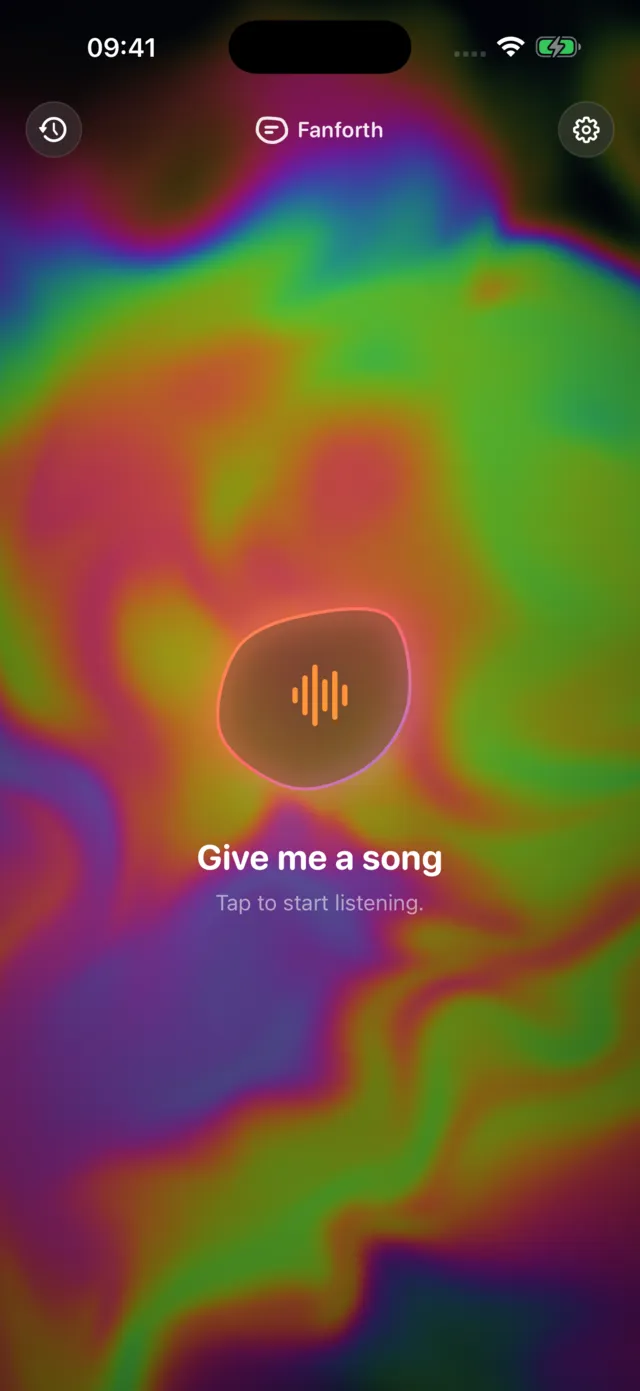
Fanforth follows the music around you and helps you remember where you heard it. Tap the circle, read along as the song plays, and keep the moment, down to the room you were in.
How it works
Tap the circle
Fanforth listens for the music playing near you and names the song.
Follow the words
Lyrics scroll along in time, line by line, when they’re available.
Keep the moment
Save where you heard it, down to the room, and come back to it later.
What it does
Made for the songs you love.
No account and nothing to sign up for. Just tap the circle.
Listen and follow along
Fanforth identifies nearby music with ShazamKit and shows the words when they’re available. Nudge the timing earlier or later, or press and hold the line being sung to line it up in one go. Turn on Follow Apple Music and, while the Music app plays on your iPhone, the words follow it exactly and the mic rests.
Keep the Moment
Save a photo with the song, or scan your surroundings: the whole room on an iPhone with LiDAR, or a turn on the spot on other iPhone models. Revisit the place as you scanned it, or remix it as a living room, café, beach and more.
Find your music again
History keeps what you heard and when. Save favourites, search by song, artist or place, see where the music was on a map, and find songs from iPhone search.
Hands free
Ask Siri to start listening, add Fanforth to Shortcuts or the Action button, and follow the words on Apple Watch, where the Digital Crown nudges the timing.
Nearby rooms
Start a room and other Fanforth phones nearby can join, agree on the song and keep to the same line. Phones talk to each other directly; no server is involved.
A blob that dances
While the words follow a song, the Fanforth blob dances along to the beat it hears. It’s free for everyone, in every theme.
Moments
Remember where you heard it.
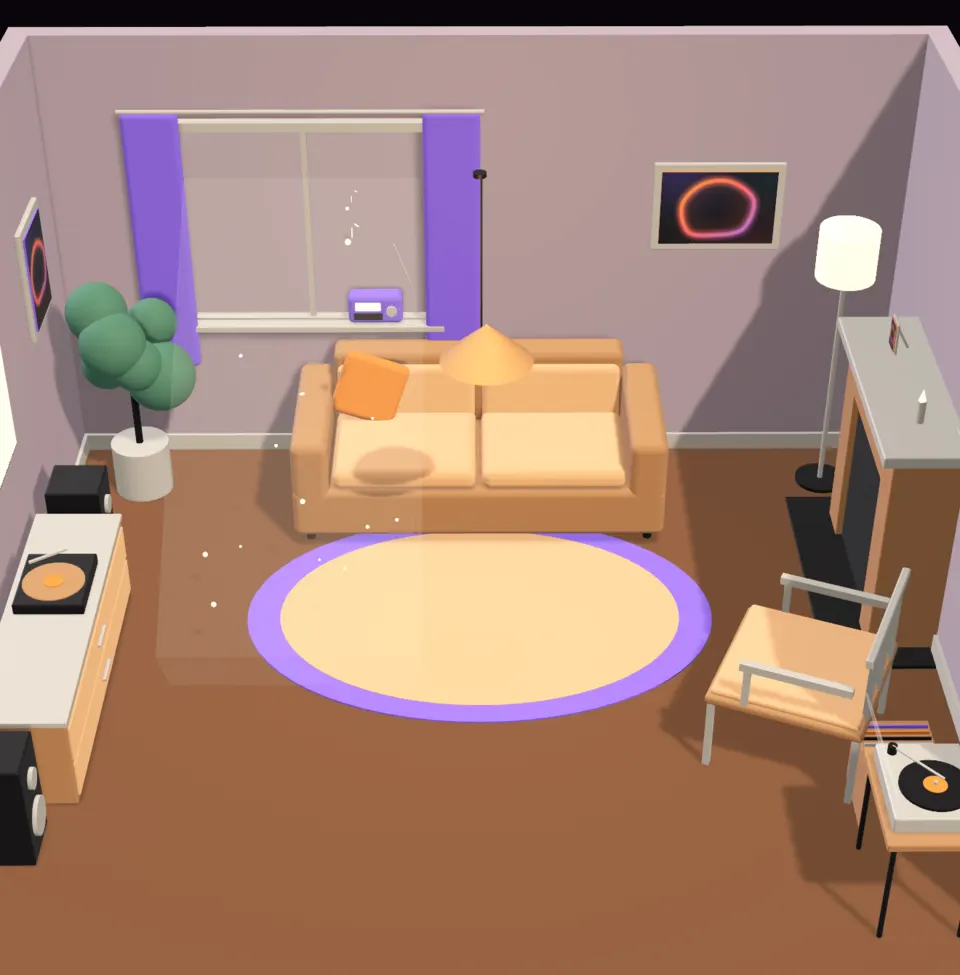
Keep a Moment and Fanforth saves the song with where you were. Scan the room, and Fanforth rebuilds it as a little 3D scene you can come back to: the whole room on an iPhone with LiDAR, or a turn on the spot on other iPhone models. Or set the song somewhere else entirely.
- Revisit the place as you scanned it, standing where you listened
- Remix it as a living room, café, beach, stage and more
- A scan’s 3D mesh, point cloud and camera frames are never synced or uploaded, and rebuilt scenes never add people
Free and Plus
Free to listen. Plus for more.
Listening, lyrics and your history are free. Plus adds more room and more ways to see your music.
Free
Everything you need to listen along.
- Listening and song recognition
- 10 lyric lookups an hour on each device
- History, favourites and search
- Up to 10 saved scenes at a time
- Each song’s own Moment world
- The dancing blob
Fanforth Plus
Plus and Pro unlock the same features. Pick how you pay.
- Unlimited lyrics
- More saved scenes
- Every theme, from Midnight and Paper to Neon
- Every Moment world
- Silent Moment videos to share
- Your listening stats
- Scenes set down on your table in AR
Prices are shown in the app in your currency before you buy. The Plus subscription renews automatically unless cancelled at least 24 hours before the end of the current period; manage or cancel it in your Apple Account settings. If Plus ends, the scenes you saved stay.
Privacy
Your music memories are personal.
Fanforth is built to keep what you hear, and where, to yourself.
No ads, no tracking
Fanforth has no advertising, no analytics SDKs and no tracking.
The mic only while listening
Microphone audio is captured only during a listening session. Stop ends it. Recordings are never saved.
Song details, never audio
A lyrics lookup sends the song’s title, artist, album and length. Never your audio.
Your memories stay yours
History, photos and room layouts stay on your iPhone unless you turn on private iCloud sync. A scan’s 3D mesh, point cloud and camera frames are never synced or uploaded.
Support
Need a hand?
Answers to common questions are on the support page. For anything else, email us.